 By Ashley Robinson
 An Asurion phone claim is a request for help under an eligible mobile protection plan. Depending on the plan, the available solution may be a repair, a replacement device, or reimbursement. Coverage may apply to accidental damage, mechanical problems after the manufacturer’s warranty, loss, or theft. However, not every plan includes every type of incident. The benefits, claim limits, fees, and deadlines are controlled by the terms issued through the wireless carrier, retailer, or other plan provider.
Before filing, confirm that protection was active on the incident date. Review the coverage documents or sign in through the claim portal connected to your provider.
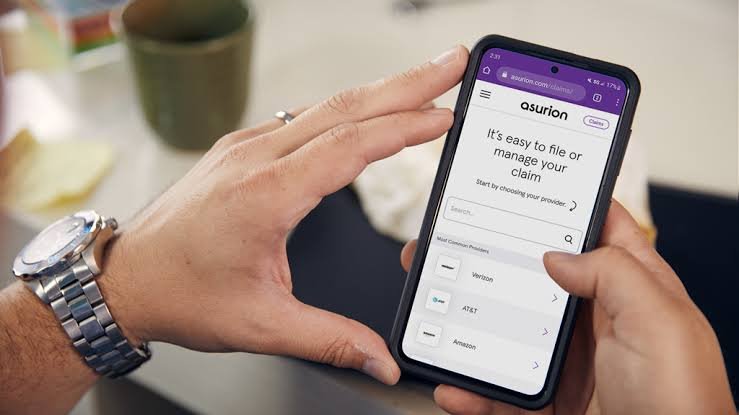
Information Needed to Start the Claim
The online process normally begins with the wireless carrier, mobile number, and device make and model. The claimant must explain what happened and when it occurred. Billing and shipping details are also required. A payment method may be needed for the deductible or service fee.
Some claims require proof of purchase, identification, account records, or a signed affidavit. The details should match the device listed on the account. Incorrect dates, a different model, or an address mismatch can slow the review. Keep the confirmation number and copies of submitted documents.
How to File an Asurion Phone Claim
Go to Asurion’s official claims page and select the company that provides the protection plan. The site will direct you to the correct claim portal. Follow the prompts to identify the covered phone, choose the type of damage or loss, describe the incident, and submit the requested information. A claim may also be started by phone when that option is offered by the plan.
Answer every question accurately. Do not guess about the incident date or change the description to fit a coverage category. After submission, monitor email and the claim-status page. Send any requested documents promptly.
Deductibles and Service Fees
Most approved claims require a deductible or service fee. The amount is not the same for every customer. It can depend on the provider, device tier, type of incident, and selected repair or replacement benefit. The applicable amount should be displayed during the claim process or listed in the plan documents.
The monthly protection charge keeps coverage active but does not eliminate the claim deductible. Review the fee before completing the request.
Repair, Replacement, or Reimbursement
Asurion determines the available resolution under the plan and the phone’s condition. A cracked screen may qualify for repair. A phone that cannot be repaired may qualify for replacement, while some situations may result in reimbursement.
A replacement is not guaranteed to be brand new. Asurion states that fulfillment may involve a new, refurbished, or remanufactured device. It generally aims to provide the same or a similar model with comparable features, subject to availability and the contract. Color may differ. Delivery timing depends on approval, location, inventory, weekends, and shipping conditions.
Lost or Stolen Phone Claims
If the phone is lost or stolen, first contact the wireless carrier and suspend service to reduce unauthorized use. Use Apple’s Lost Mode or the lock-and-erase tools available for Android devices when possible. Change important passwords, especially for email, banking, cloud storage, and payment apps. The plan may require additional records or verification for a loss or theft claim.
If the phone is found after a replacement is issued, contact Asurion for instructions. Do not sell or reactivate it without checking the claim requirements.
Returning the Damaged Device
When a replacement is issued for a damaged phone, the original device usually must be returned within the period stated in the contract. Use the supplied prepaid packaging and retain the shipping receipt and tracking number. Failure to return the phone on time may result in a non-return fee.
Before shipping, back up and erase personal data, remove SIM and memory cards, and disable activation locks such as Find My iPhone or Factory Reset Protection. Do not include accessories unless requested.
Why a Claim May Be Delayed or Denied
A claim can be delayed when information is missing, the device does not match the account, the incident date is unclear, or identity documents cannot be verified. A denial may occur when coverage was inactive, the event is excluded, the filing deadline has passed, the claim limit has been reached, or the facts do not support a covered loss. Suspected fraud or material inconsistencies can also lead to further review.
If a claim is denied, ask for the exact reason and review the plan terms. Correct factual errors and submit requested evidence. If needed, use the appeal or complaint procedure listed in the coverage documents.
Final Steps After Approval
Inspect a repaired or replacement phone immediately. Confirm that it powers on, connects to the carrier, charges correctly, and matches the approved claim. Transfer data carefully and keep all emails, receipts, tracking information, and return proof until the claim is fully closed. Report any replacement-device problem within the applicable warranty period.
Verify coverage, provide accurate information, respond quickly, and follow every return instruction. Because Asurion administers many programs, the customer’s plan documents remain the final authority on coverage and fees.